Developer · Katowice, Poland
DeanDark
I write open-source software for Linux: a screenshot tool that keeps going after the shot, a terminal that remembers your whole workspace, and smaller things in between.
Scroll to fall inA Schwarzschild black hole, ray-traced live in your browser. The name sits behind it; the light goes around.
01Signature
I learn what pulls me in. The rest I don’t force.
19.02°E
- Designation
- DeanDark
- Class
- Developer, Linux-native
- Position
- Katowice, Poland
- First light
- Around age 10
- Spectrum
- HTML · CSS · JS · Python · C# · SQL, now C++ · QML · Rust
- Home system
- Fedora 44 · KDE Plasma
First lines of code at around ten, out of plain curiosity. It never wore off. The web came first, then Python, C# and SQL. Today most of my hours go into C++ and QML for Unisic, and Rust for Tuni.
My one rule for learning: there has to be real pull. Forced work gives forced results, in code and everywhere else.
I like helping people. I spent a long stretch on the support team of the StartIT Discord bot; now I run my own server, Horyzont Zdarzeń, and answer whoever uses what I build.
Away from the editor: the terminal, self-hosting, Linux servers, containers, reverse proxies. Linux is home, Fedora is the daily driver.
Strong gravitational fields
-
Astrophysics & geopolitics
The two rabbit holes I fall into most often.
-
Music
A heavy listener. Piano and drums are on the someday list.
-
Games
From Portal and Papers, Please to Stardew Valley and The Witcher.
- ~10age at the first line of code
- 8languages in orbit
- 2flagships: Unisic and Tuni
- ∞still left to learn
02Current orbit
Where the hours go right now
Live
- 01
Unisic
Shipping features and chasing edge cases along the whole capture-to-share path on Wayland.
- 02
Tuni
A native terminal workspace in Rust and GTK4: panes, projects, git and SSH in one window.
- 03
C++ & QML
Going deeper into native desktop work: performance, architecture, interfaces that feel right.
- 04
Horyzont Zdarzeń
Keeping the community alive and answering whoever runs into my code.
03System
Everything in orbit around the work
Grouped by orbit. The closer to the centre, the closer to the metal.
Platform
Frameworks & UI
Languages
Ops & self-hosting

04Flagship
Unisic
Other tools stop at the screenshot. Unisic starts there.
Screenshots and screen recording for Linux on Wayland, covering the whole trip: draw on the selection before the shot exists, polish it in the editor, record the same region as a GIF or video, then send it to the clipboard, the disk or your own upload destination with the link already copied. Legitimate APIs only. Zero telemetry.
A simulation in your browser. The real one runs on your desktop. Esc cancels
Silent capture
No flash, no notification, nothing in the frame you didn’t put there.
Draw first, shoot second
Annotate on the live selection overlay, then take the shot.
Editor included
Blur, pixelate, numbered steps, crop, object cutout and a toolbox that keeps growing.
GIF · MP4 · WebM
Record the same region as video, through PipeWire.
Your destinations
Upload wherever you choose. The link lands in your clipboard.
Zero telemetry
No account, nothing phones home. Free and open source.
Install on any Linux
Fedora, Debian, Ubuntu, Arch, openSUSE or AppImage, picked for youcurl -fsSL https://unisic.app/install.sh | bashC++20 · Qt 6 · QML, on xdg-desktop-portal, KWin ScreenShot2 and PipeWire.
Exposure log
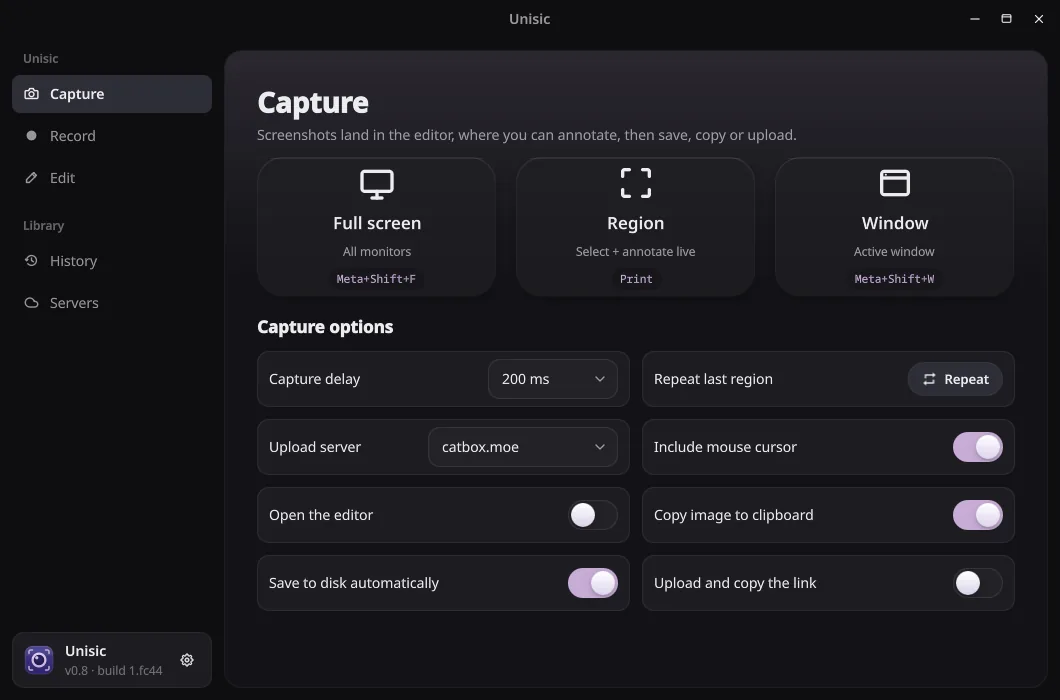
01Capture: annotate before the shot 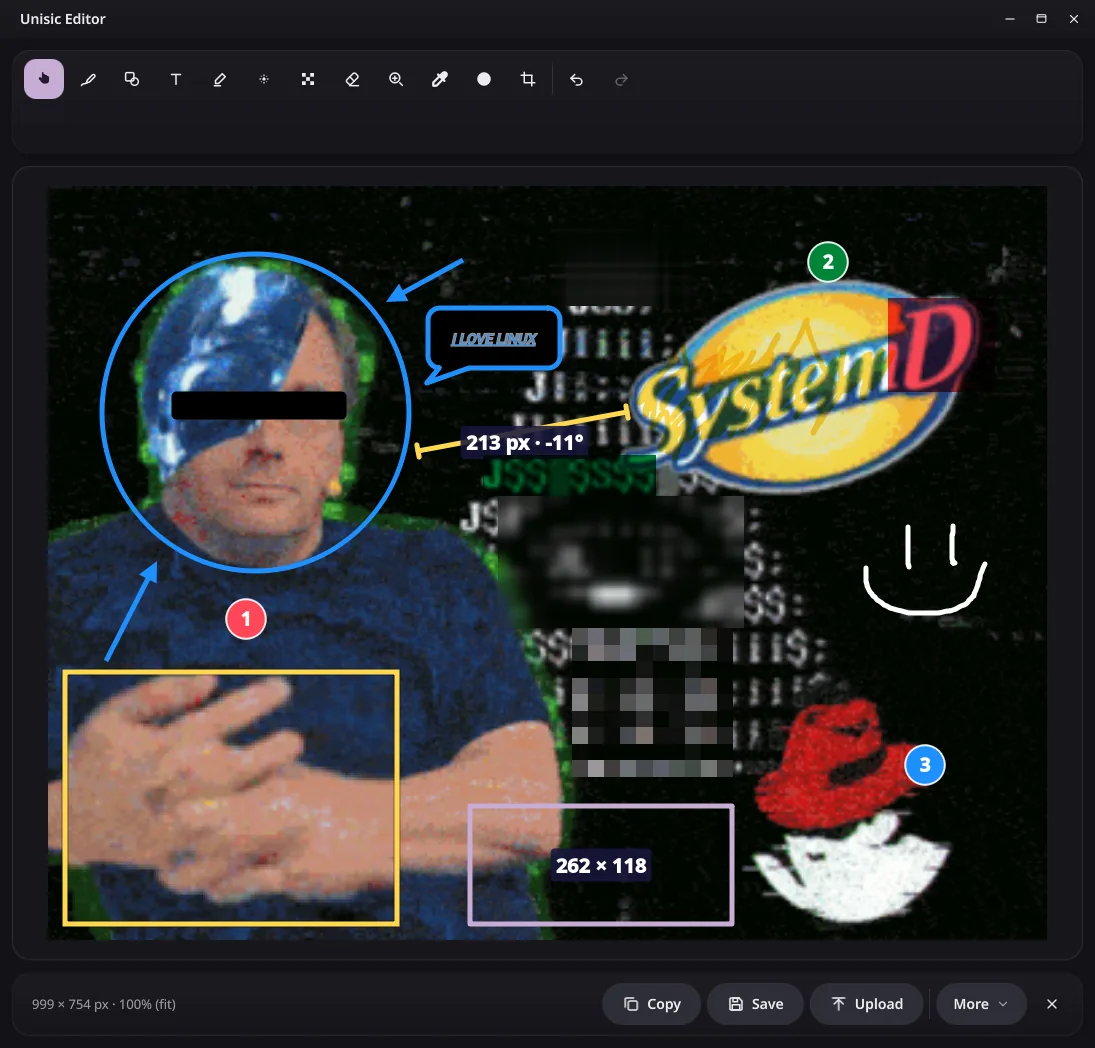
02Editor: polish every capture 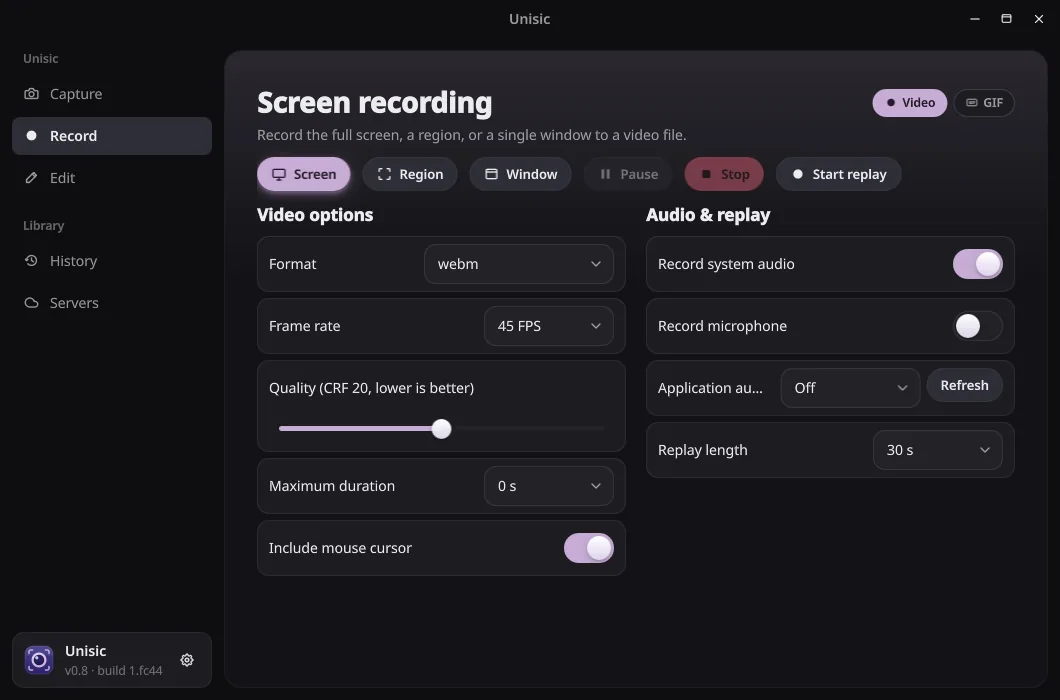
03Record: video or GIF, with a replay buffer 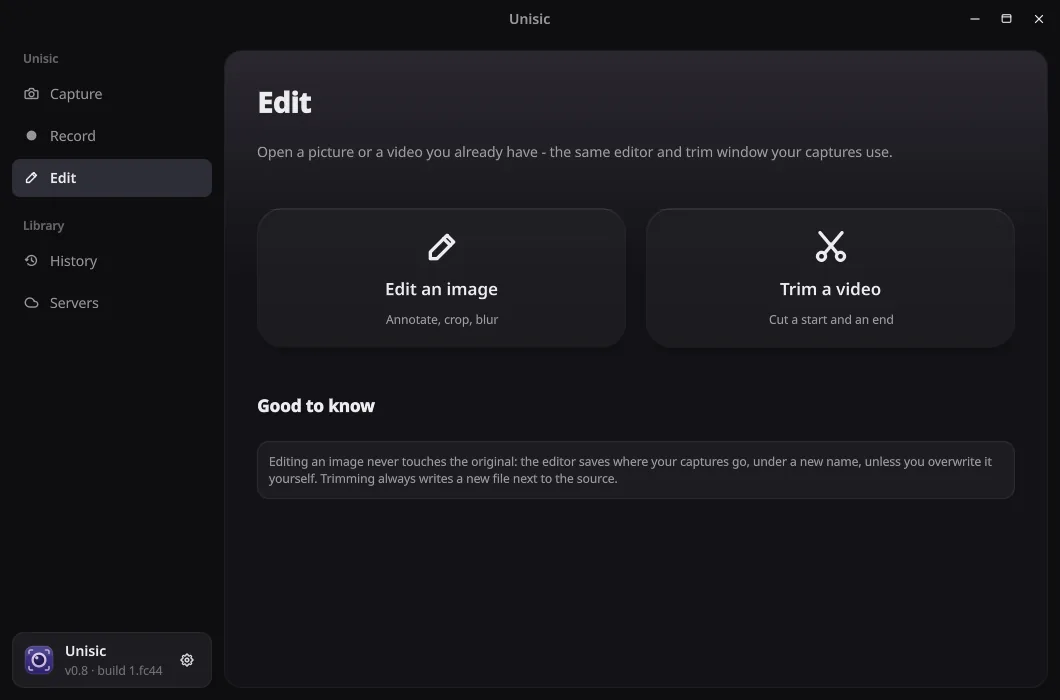
04Edit: open an image or a video you already have 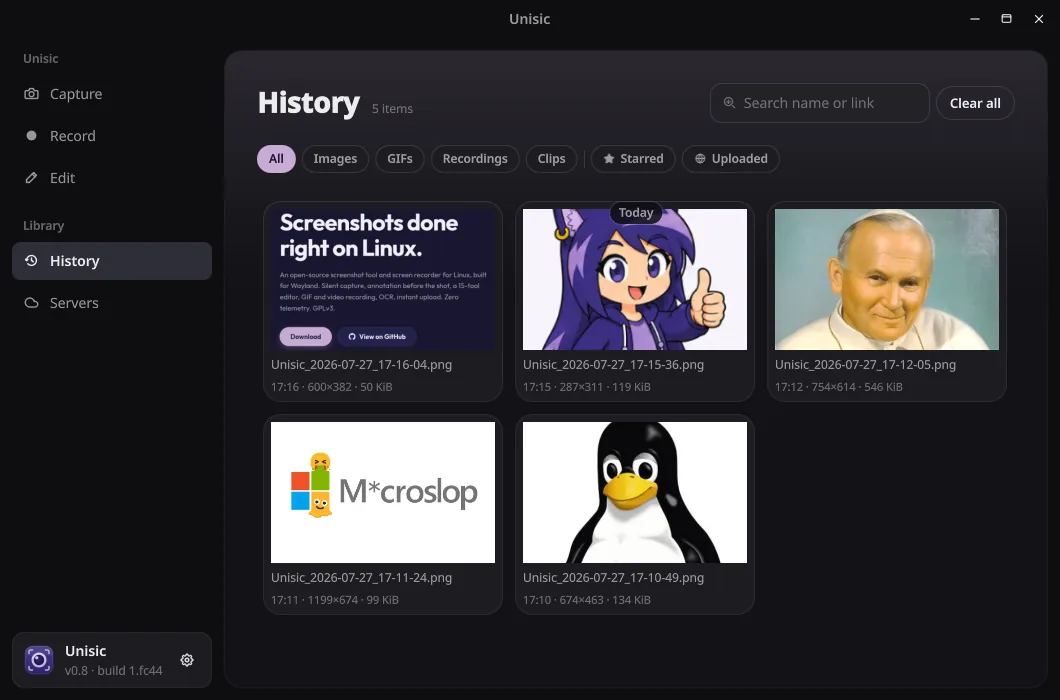
05History: every capture, one click away

05Binary companion
Tuni
A terminal that keeps the whole workspace, not just the shell.
Tuni is a native terminal workspace for Linux. Panes split in a niri-style layout and group into projects and tabs, with a file tree, a git panel that stages hunks and a source editor right beside the shells. Ghostty’s libghostty-vt does the emulation.
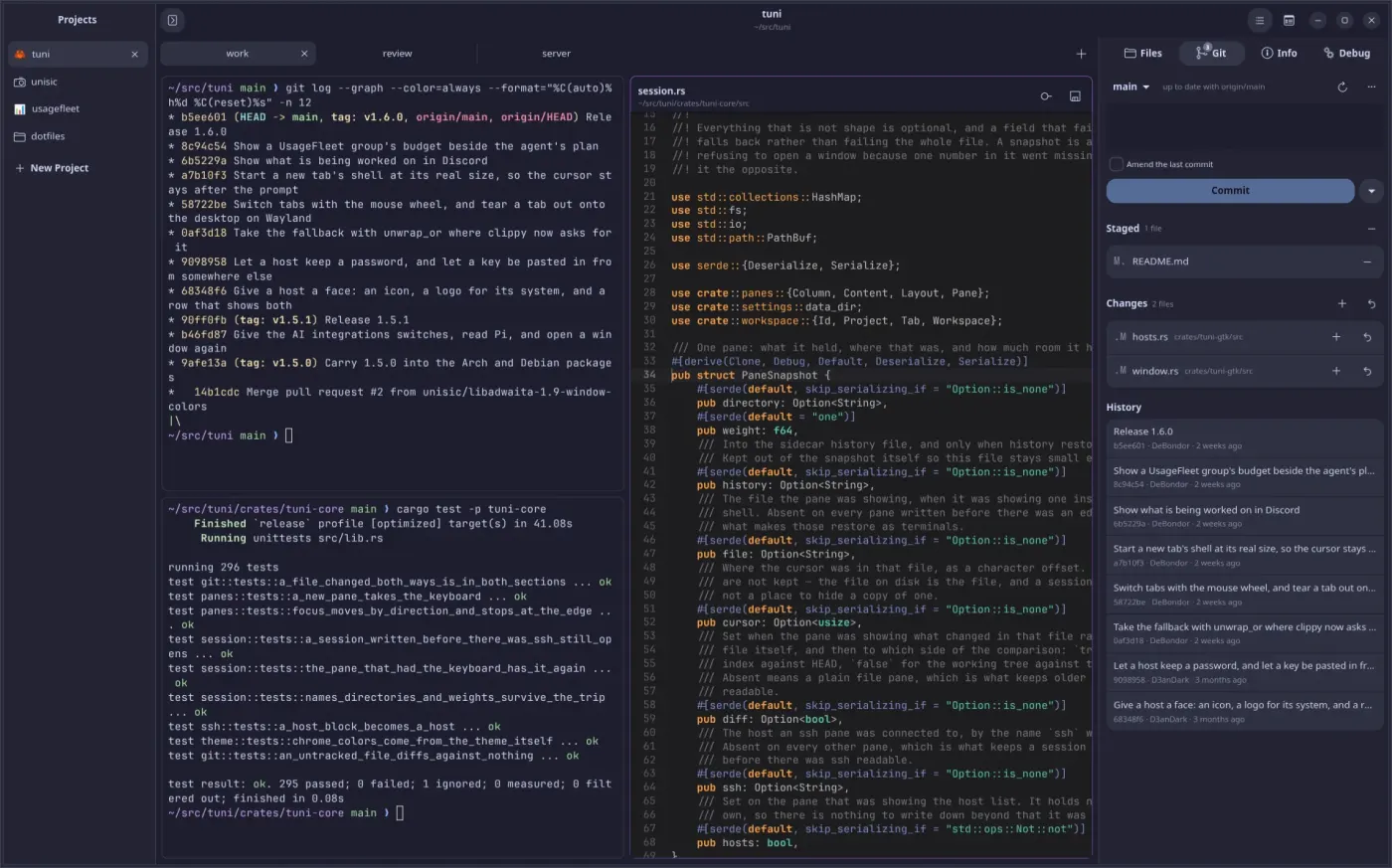
- Hosts straight from ~/.ssh/config, one shared connection per machine, and SFTP for the machine a pane is on.
- The Info page follows the focused pane: its processes with CPU and memory, and the TCP ports they listen on.
- A command palette finds any action with its shortcut beside it, and every shortcut can be rebound.
- A long command finishing in a tab you aren’t watching tells you what it was and how long it took.
- Drag a tab or a whole project into its own window without restarting the shells inside.
- A coding agent thinking in a pane spins on its tab and flags you when it’s done.
- Ghostty’s 574 themes, painting the window chrome as well as the terminal, one for light and one for dark.
- SSH stays OpenSSH’s job, so passwords and 2FA are answered where they always were. A password you keep goes into the desktop keyring.
Throughput
MiB/s- tuniGTK4 + libghostty-vt 169.1
- keroGo + libghostty-vt 139.4
- footWayland, CPU 133.1
- urxvtX11, CPU 123.6
- alacrittyGPU, OpenGL 111.7
200 MiB of mixed plain and SGR-coloured output, best of five runs, one machine. First of nineteen terminals, top five shown. Higher is better.
Built from scratch for Linux, with behaviour modelled on kero.
06Asteroid belt
Smaller bodies, still in orbit
Side projects across the years, from first websites to native apps.
- 2026 DexSearch Offline Pokédex and team builder: every Pokémon, form, move and item from Gen 1 to 9, Smogon sets and Showdown export. Native on Android, an installable web app on iPhone, four languages. Kotlin · Android · PWA
- 2026 EduNote Study notes for a stylus tablet and the computer: handwriting on A4 pages, live Markdown, a PDF beside the note, flashcards and an AI assistant. Tablet · Desktop
- 2025 Bingo Bingo boards for parties, streams and meetings. Play solo or with friends in a room behind an invite code, with a streamer mode that keeps the code off the screen. Svelte · TypeScript
- 2024 Space A drifting space background with quotes about space and life that change over time. JavaScript
- 2024 Netykieta The rules of the internet, written up in Polish. HTML · PL
- 2024 Pretty Design Free designs to grab and reuse. CSS
07Ground station
Where the signal comes from
Telemetry
- OS
- Fedora 44 · KDE Plasma
- CPU
- Intel Core i5-13400F
- GPU
- NVIDIA RTX 4060 Ti 8 GB
- RAM
- 32 GB DDR4
- Monitor
- Samsung Odyssey G5
Off-duty
When the editor is closed, odds are a game is open. Long-time favourites:
Level 42 on Steam08Trajectory
Flight log
- T+0
Ignition
First lines of code at around ten. Curiosity did the rest.
- T+1
The web years
HTML, CSS and JavaScript, then Python, C# and SQL. Small sites and side projects to learn how the pieces fit.
- T+2
Ground crew
Joined the support team of the StartIT Discord bot. Learned patience, people, and how to explain things clearly.
- T+3
Leaving Windows
Hopped across distros until Fedora stuck. Picked up the UNIX philosophy; the terminal became home.
- T+now
Today
Unisic, Tuni, and the next thing already on the launch pad.
09Event horizon
Past this point, nothing escapes.
Messages included, so I’ll answer. Discord is fastest; everything below works.